 Nexus
Every mailbox has a health score
NexusSender watches bounce rate and refusals for each account and pauses one that starts to struggle.
100
Warm up your mailboxes, send follow up sequences and answer every reply from one app on your own computer.
Version 1.0.0 | Windows 10 and 11, 64 bit | Installer includes everything | See the screenshots
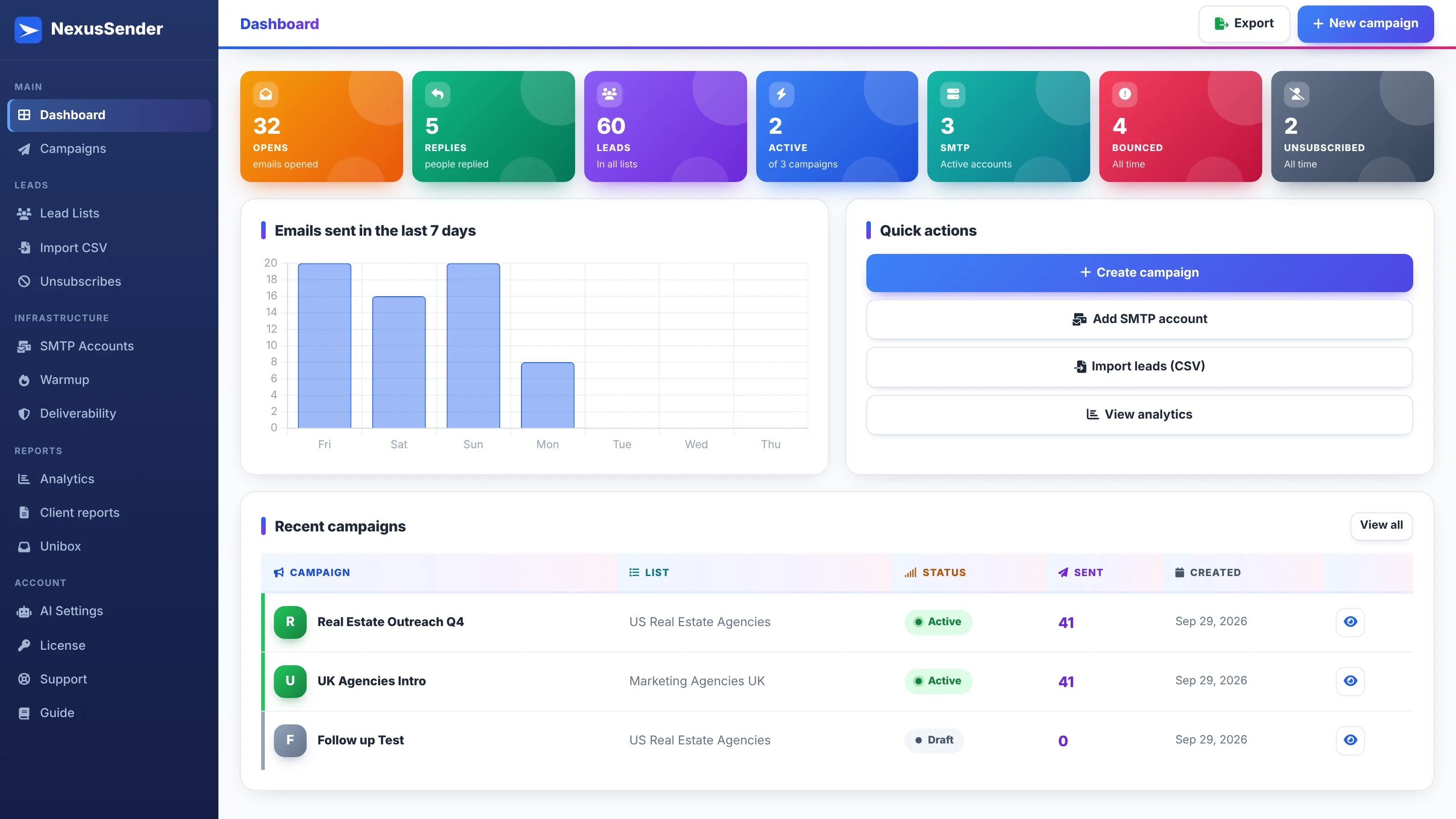
A short tour of the app, from the first mailbox to the unified reply inbox.
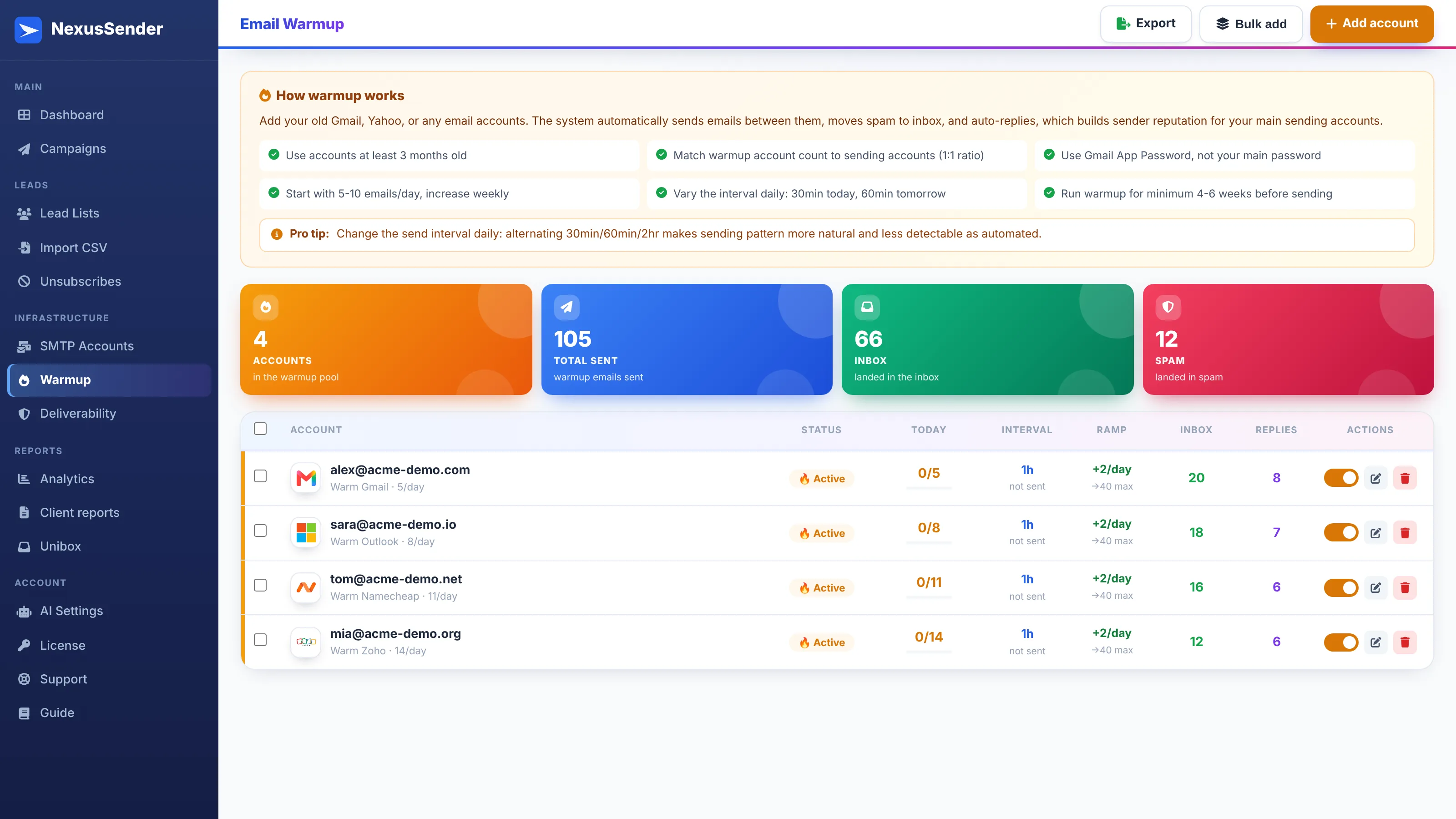
Your accounts trade short, natural messages and replies, so providers see real conversation before a campaign starts.
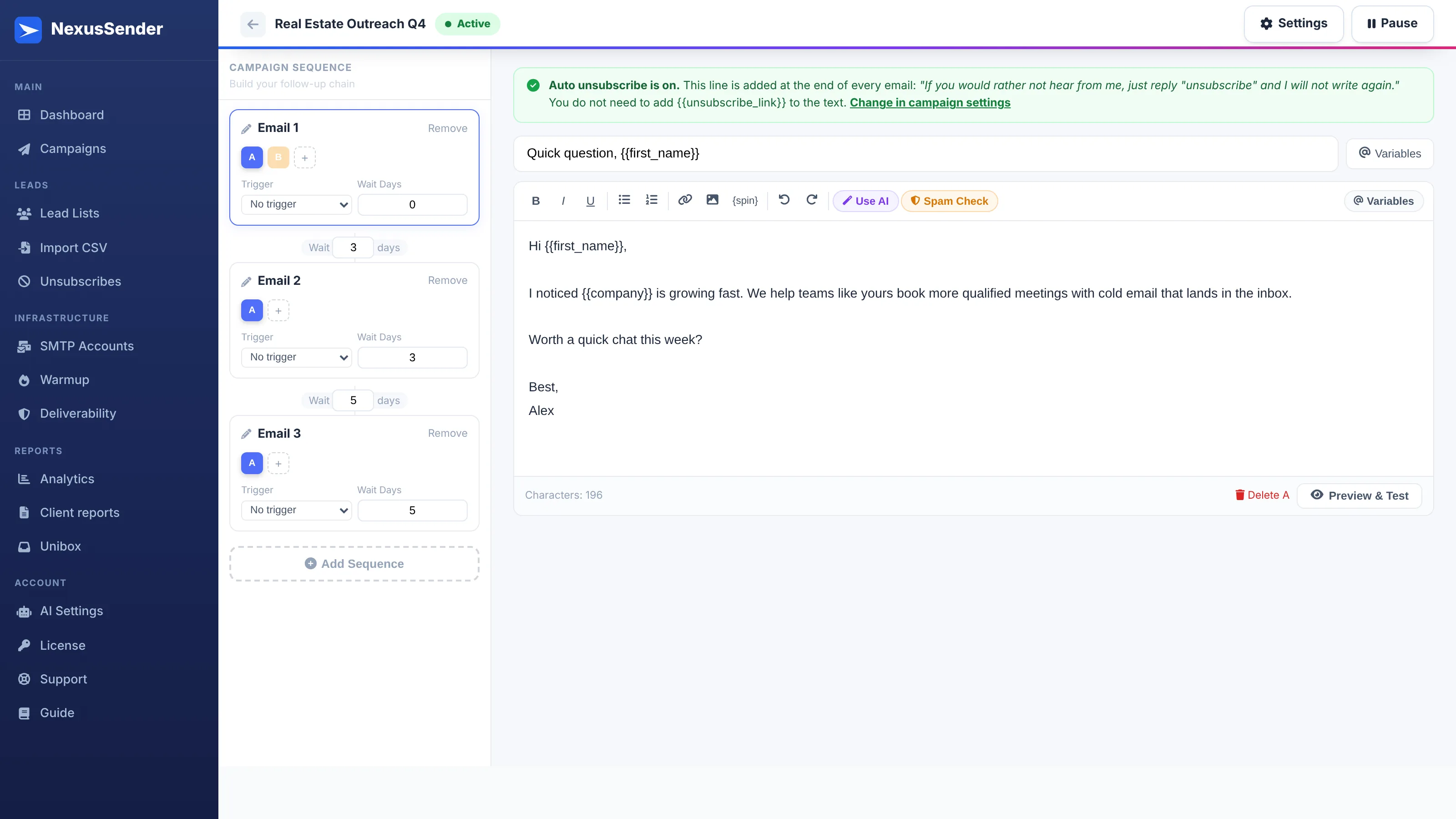
Write your sequence once. NexusSender sends each step on schedule, keeps it in the same thread and stops as soon as a lead answers.
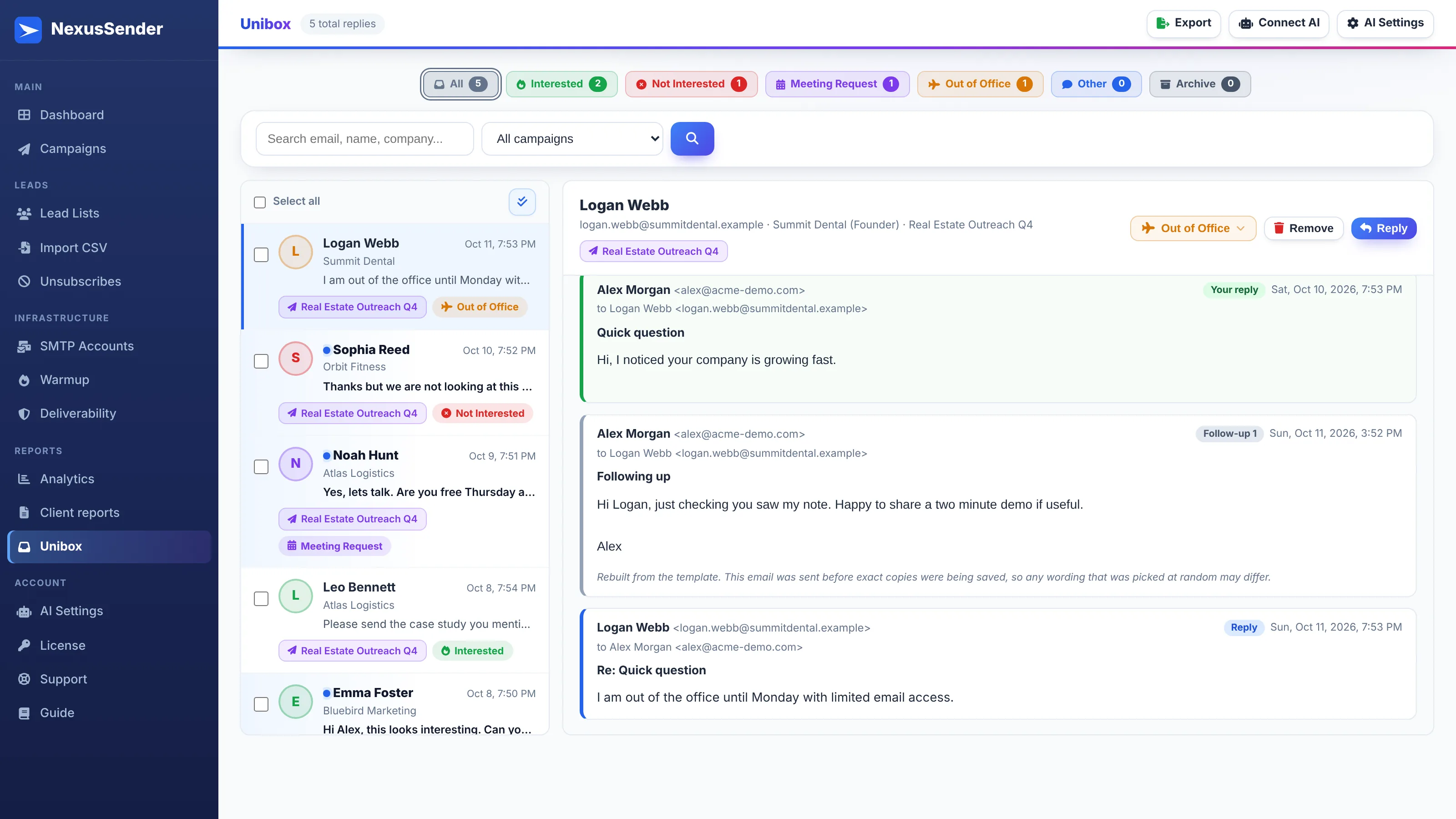
Replies from all your mailboxes land in the Unibox. Label them, read the full thread and answer without switching accounts.
If a quiet mailbox suddenly sends hundreds of emails, providers may treat it as suspicious. NexusSender raises the daily volume a little every day, so the mailbox earns trust before it carries a campaign.
Illustration of the idea. The real volume depends on the settings you choose.
Every step has its own screen, and each one takes minutes, not hours.


You never write a warmup email. NexusSender ships with a large library of short, neutral messages and picks them at random, so every warmup exchange is unique. There are no links, no offers and no sales words in any of them.
The small details that decide whether a campaign reaches the inbox are handled for you.
NexusSender watches bounce rate and refusals for each account and pauses one that starts to struggle.
Write choices inside curly braces and NexusSender picks one for each lead. Variables such as the first name fill in on their own.
{Hi|Hello|Hey} {{first_name}}, {quick question|a short note|checking in} about {{company}}.Step two replies to step one, so the lead sees one conversation.
Send version A and B to different leads and see which one earns more replies.
Set the bounce rate you accept. When a campaign passes it, sending pauses.
Draft emails and tighten subject lines with OpenAI, Claude, DeepSeek or Grok. You pay the provider directly.
A checklist and a domain checker show what to fix first, and a test email tells you where it lands.
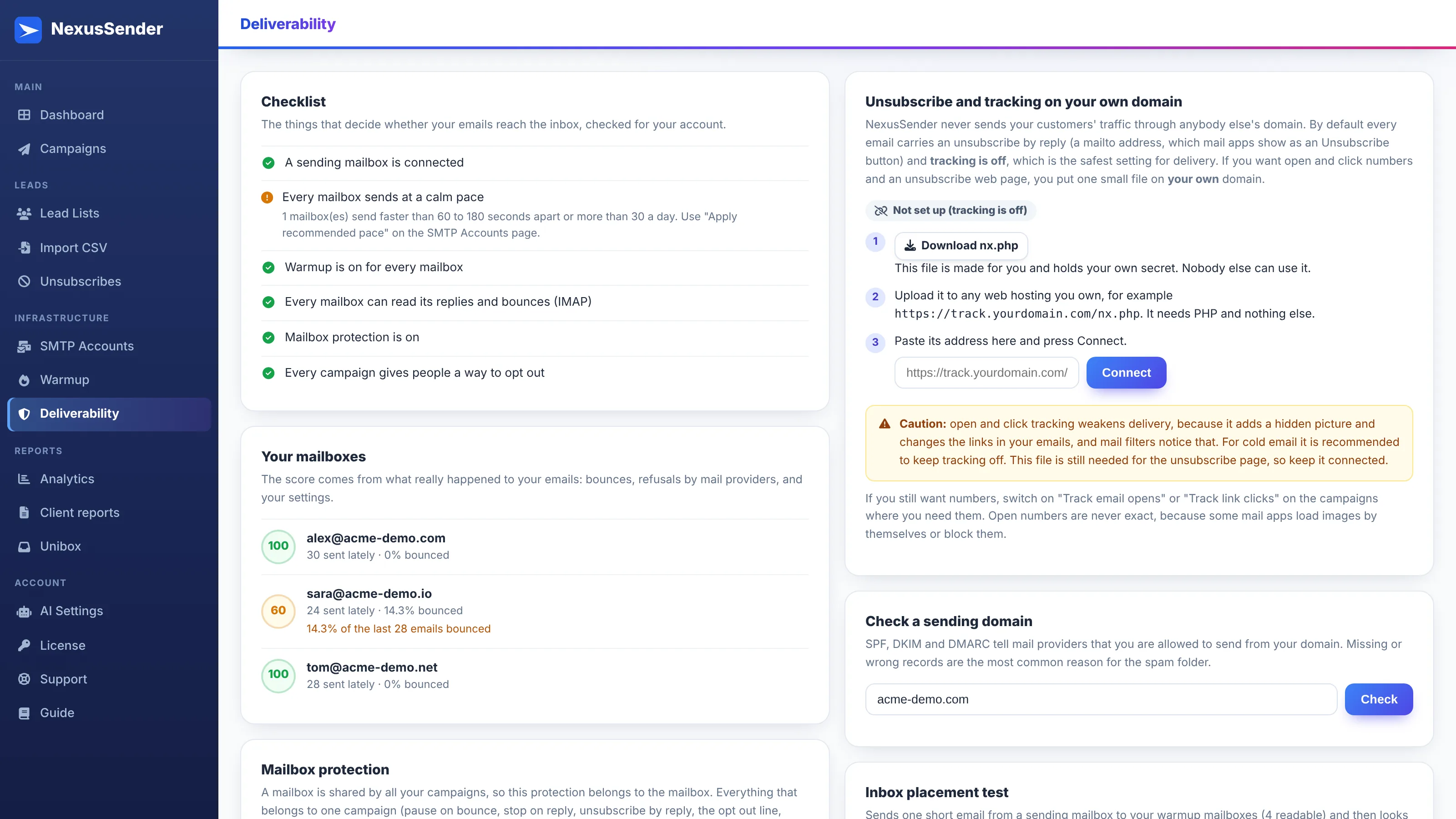
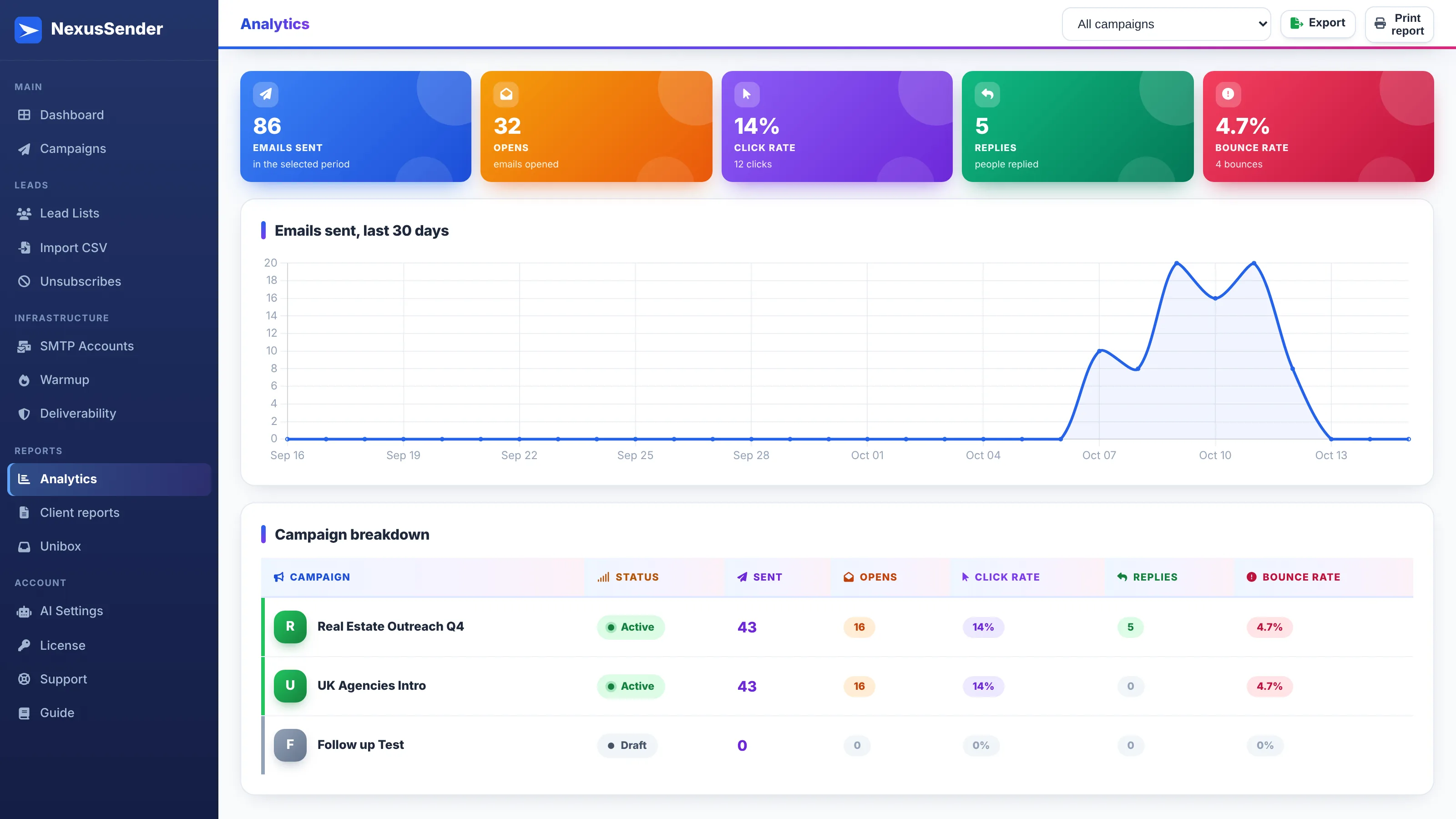
Totals, trends and a table for every campaign, so you know which message and which list earn replies.
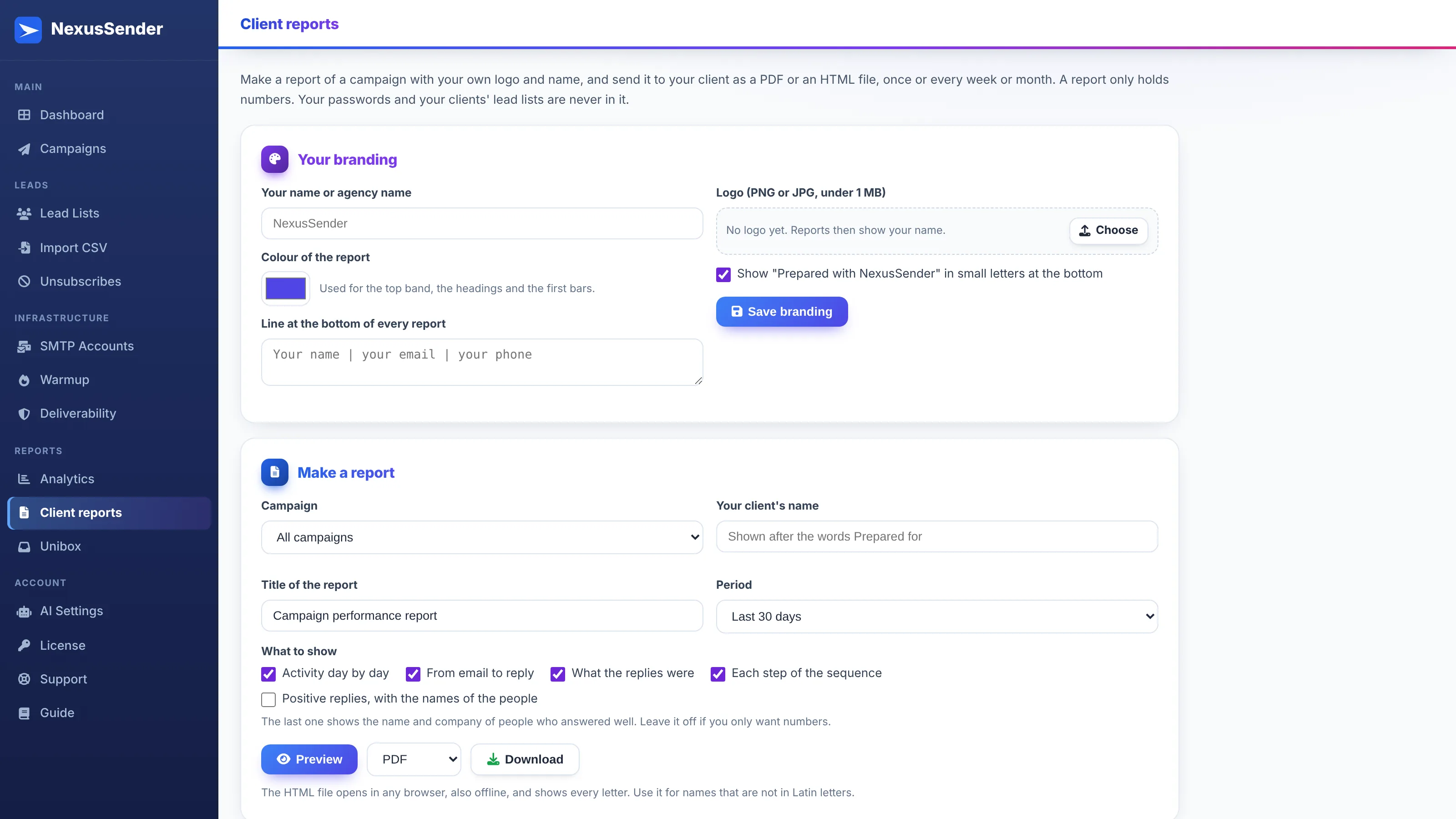
Add your own name, logo and colour, choose what to show, and save a report as a PDF or an HTML page.
NexusSender is a desktop app. Your lead lists, email texts, mailbox passwords and replies are stored on your own machine, and the app keeps working in the background from the system tray.
One database on your computer, no cloud account to create.
The app contacts the license server to check your key. Your leads and emails are not sent anywhere.
Close the window and choose to keep sending from the tray, or quit.
Browse every main screen of the app. Click a picture to open it in full size.
One app for the whole cold email routine, from a new mailbox to a reply in your inbox.
Run outreach for several clients from one computer. Keep each client's mailboxes and lists apart and send them a branded PDF report.
Reach new prospects with short follow up sequences that stop on their own when someone replies.
Contact candidates and hiring managers from your own mailboxes and answer every reply from one inbox.
Send audits and offers to local businesses with personalised first lines and a clean, human looking message.
Build a sending reputation first with automatic warmup, so the first real campaign starts with a trusted sender reputation.
Leads, campaigns and replies stay on your own computer. The app only contacts our server to check the license key.
NexusSender is cold email software and cold email outreach software in one Windows app. It works as cold email sending software, cold email campaign software and cold email automation software: you connect your own mailboxes, warm them up, import a lead list, write a follow up sequence and read every reply in one inbox.
It is software for cold email that fits freelancers, agencies and sales teams who need email sales software without a monthly subscription. Because it is outreach software with safe daily limits, delays and warmup, you can send in volume without hurting your domain. Paid plans are priced as a single payment for 1, 2 or 3 years, which makes it affordable cold email marketing software with no monthly fee.
Still comparing options? Read our guides on the best cold email software in 2026, cheap cold email software, open source cold email software and free options, outreach software and cold email companies versus software.
Read what other customers say about NexusSender, or share your own experience after you try it.
Short answers here. The full FAQ covers warmup, deliverability, SMTP setup, licensing and more.
Windows 10 and Windows 11, 64 bit. Older versions such as Windows 7 and 8 are not supported.
No. The installer includes everything the app needs. You only need an email account with SMTP and IMAP access.
On your computer, in the app data folder of your Windows user. Uninstalling the app does not delete it.
Gmail, Outlook, Yahoo, Zoho Mail, Namecheap and any other provider that offers SMTP and IMAP.
Yes. Start free trial and we will email you a key.
 7 day refund policyIf a defect cannot be fixed.
 5 day free trialNo card needed. Key arrives by email.
 Windows 10 and 11Made for 64 bit Windows computers.
 Your data stays with youLeads and passwords live on your PC.
 Digitally signed installerSigned by TQ Nexus LLC. Certificate issued by Certum.
Install NexusSender, connect your first mailbox and start warming it up today.